
H01Family
Reward chart
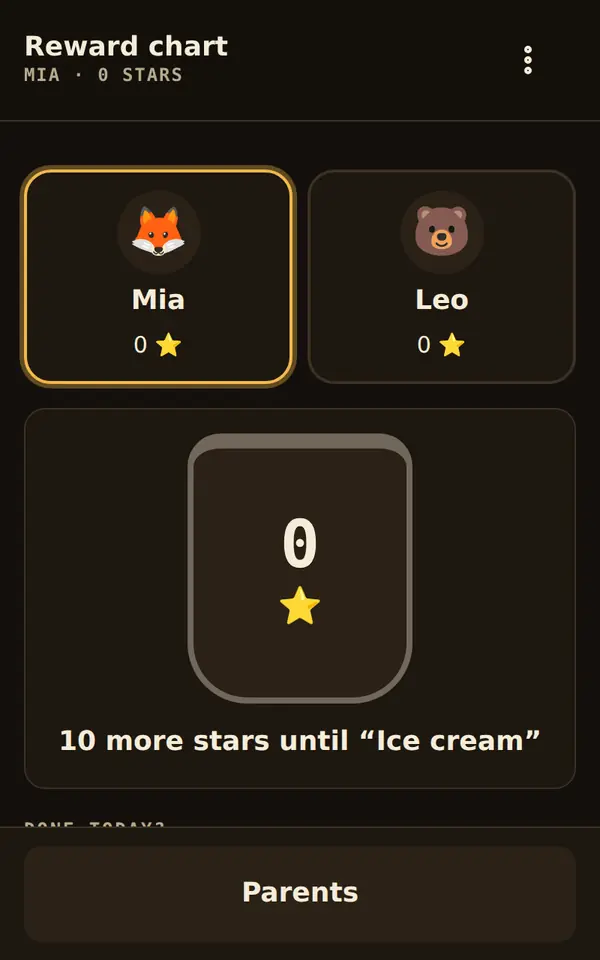
The child taps the last star themselves – and the reward lights up.
Who it is for: For families, nurseries and classes that want to make progress visible.
The tool runs isolated on this page. Whatever you enter here is kept only until you reload.
What it does
- Stars per task and day, a jar fills up to the goal
- Redeeming and confirming only with a parent PIN
- Your own photo for each child
- Routine, flashcards and metronome bring stars along
Starter templates
On first start you choose what to begin with. Everything can be changed later under “Customize”.
- Two children
- Mia and Leo collect separately, each with their own jar and goal.
- Morning routine
- One child, five small steps from getting up to the front door. The picture routine reports along.
- Learning and practice
- Stars for reading, times tables and instrument; flashcards and metronome report by themselves.
- Class or group
- One shared chart for the whole class: stars for quiet work time, a reward for everyone.
Working together
After one tap the tool passes data to other tools. The toolbox asks once for your permission.
Receives from
- Flashcardscompleted activities · with the starter template “Times tables for children”
- Picture routinecompleted activities
How a tool gets into your toolbox
Download
Tap “Download” on the tool’s page. Every file is smaller than 90 KB.
Add
In the toolbox choose “File or download” and pick the file. On Android this works too: open the download, tap “Share” and choose “Artefakt Toolbox”.
Start
On first start you choose a starter template. Everything else is set under “Customize”, without any code.
Connect if you like
When a tool sends something to another, the toolbox asks once for your permission for exactly this pair.
Planned: choose tools right in the app and add them with one tap.
Change with AI
This template is in the tool’s help. Copy it into “Change with AI” and add your wish.
Add a task “Water the plants” worth one star and a reward “Sleepover at grandma’s” for 30 stars.Checked
The tool passed the automatic check: no network access, no obfuscated code, no access to camera, microphone or location. With the checksum you can verify that your file is exactly this one.
- Version
- 1
- Updated
- October 4, 2026
- Size
- 79 KB
- Network
- none, works offline
- SHA-256
a5fc49314d822f8c5f1bbf77db31070306cbbf2e3a597520816bec84377d342e
Catalogue as JSONMore on security and trust
Report a problemDoes the tool behave wrongly? Report it with name, version and checksum.
Goes well with
Bundle: Family
The child does the morning alone, step by step with their own photos. Routines, times tables and practice bring stars to the reward chart – credited once a parent confirms.